The Stats page has had a refresh
A tidier Stats page with your weight trend up top and one time range for everything, plus a quicker way to log your weight.
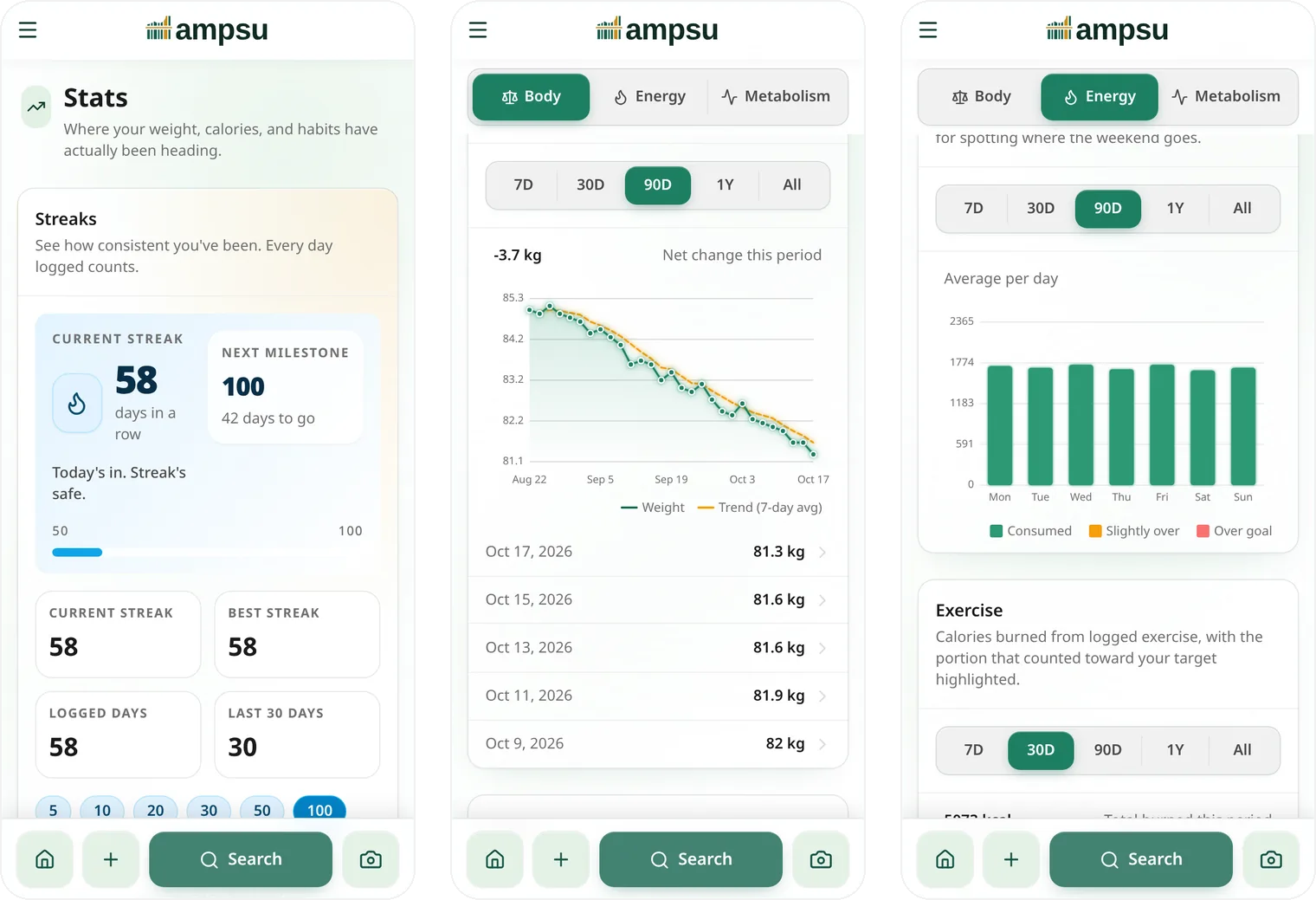
The old Stats page had a streak card, a calendar, three tabs of cards, and a 7D/30D/90D picker on every one of them. Your weight was somewhere under all that, and its list only went back five weigh-ins.
So I started over.
One list instead of three tabs
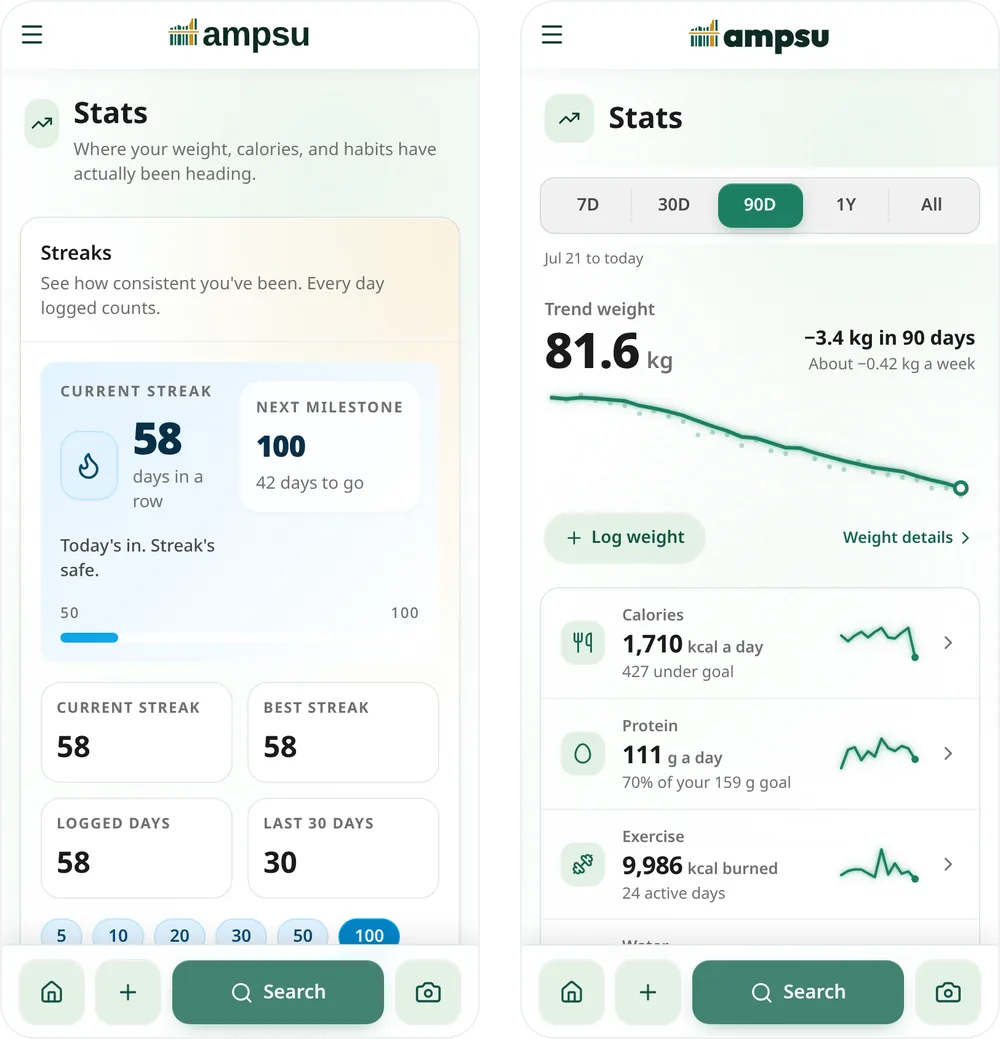
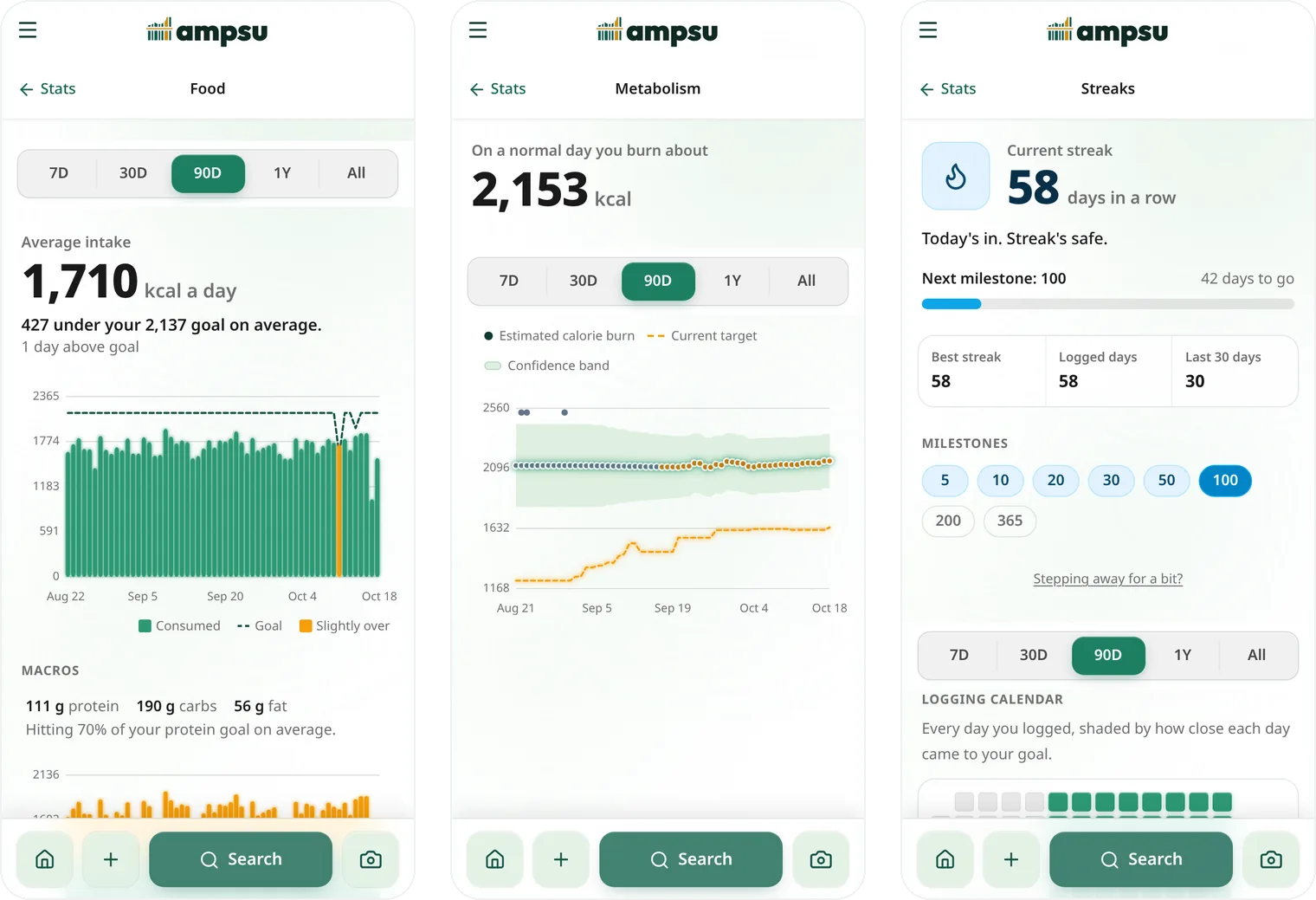
Stats now opens on your weight trend, with one list under it. Each row opens its own screen.
There's one time range for everything, and it remembers your pick. Steps and water only show up if you track them.
The weight bit
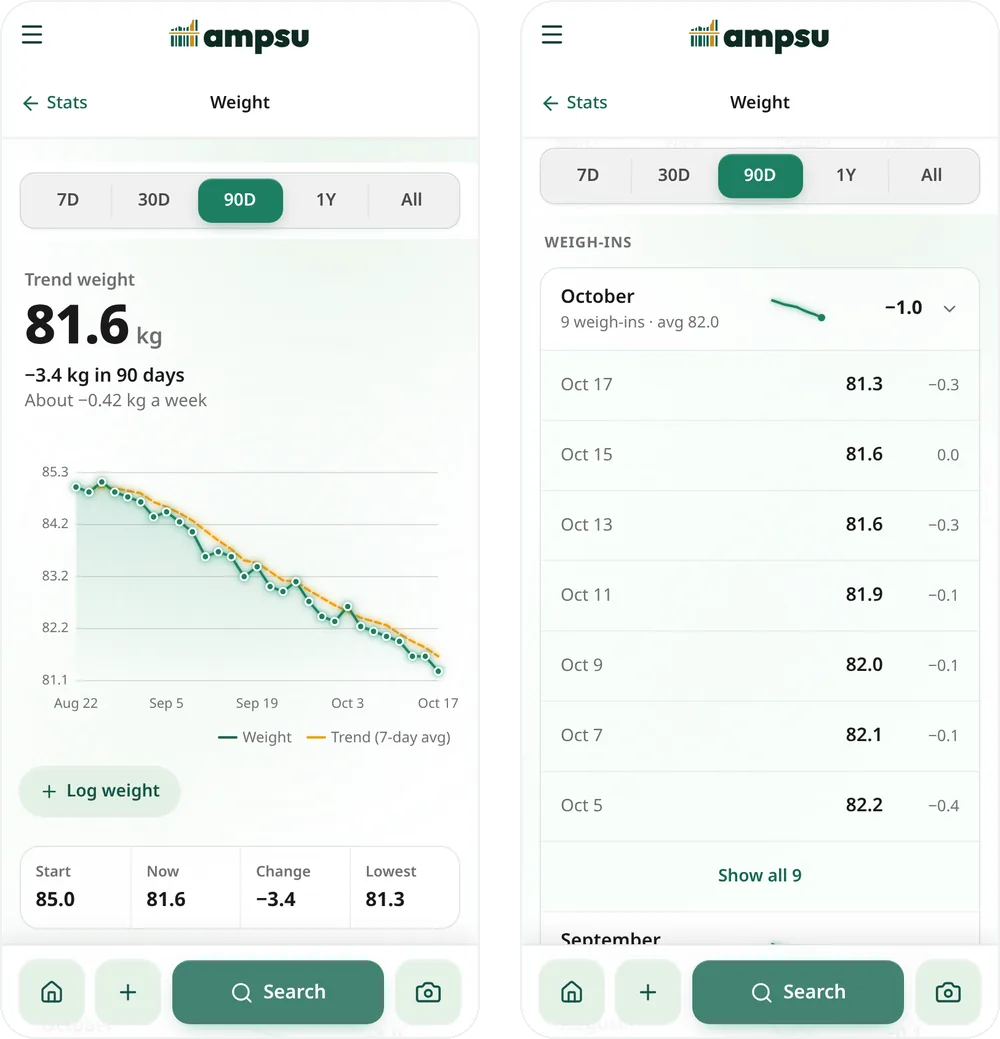
Your weight can move a kilo overnight, mostly water. So the big number is now your trend weight, basically the average of your last week of weigh-ins. Every weigh-in is still a dot on the chart.
Weigh-ins are grouped by month now, so a year of daily weigh-ins is twelve rows instead of 365 :) Body fat shows up here too if you log it.
Some other bits
Food has everything about what you eat, down to which meal is the big one (it's probably dinner). Activity is steps, exercise and water. Metabolism starts with roughly what you burn on a normal day and keeps the nerdy stuff under "The fine print". Streaks got their own screen too.
Logging a weight
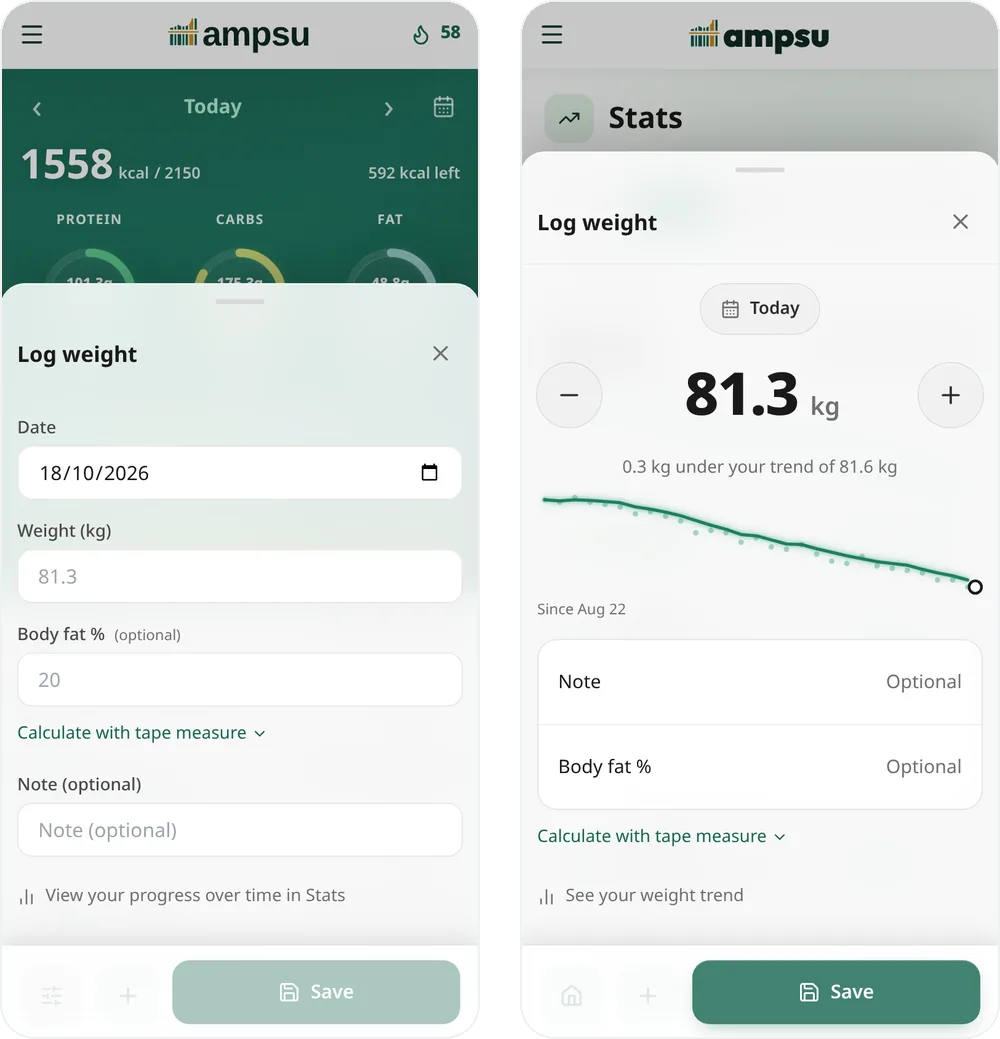
There's a Log weight button on Stats now. The sheet starts at your last weigh-in, so most mornings it's a tap or two on minus (or plus, no judgement). It also shows how the number compares to your trend before you save.
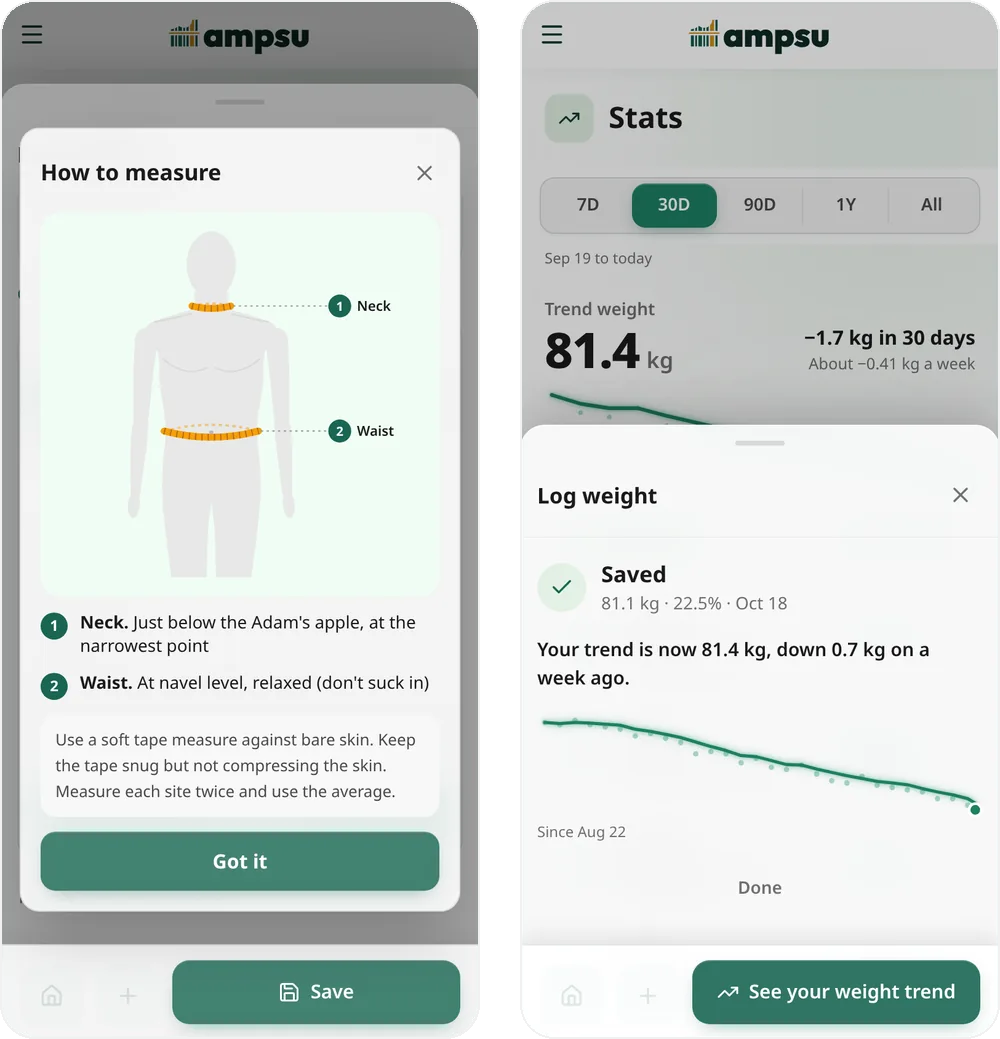
No smart scale? There's a tape measure calculator for body fat, and now a little guide showing where the tape goes. After you save, "See your weight trend" takes you straight to the Weight screen.
It should feel snappier too, since screens no longer reload everything as you move between them.
That's all! If something looks off or you miss something from the old page, write to feedback@ampsu.eu or post on Crumbs.