Log food from Claude or ChatGPT: connect Ampsu in a minute
Tell Claude or ChatGPT what you ate and it lands in your Ampsu diary. How to connect each one, what it can and can't do, how accurate it is and what the AI gets to see.
Typing “two eggs, toast and a flat white” into a chat is quicker than tapping through a food diary, and a lot of people already have Claude or ChatGPT open all day. So it makes sense to log food from there. The catch is that a chatbot on its own will guess the numbers and forget them by tomorrow.
Why connect your AI to Ampsu?
Because it turns a chat you already have open into your food diary, and your food diary into something you can ask questions.
- Log the way you talk. One sentence covers a whole meal, and in the Claude or ChatGPT app you can say it out loud.
- Ask questions in your own words, like which days this month went over, or whether your protein dropped once you started running. The answer comes from your real diary, not a guess.
- Plan with the numbers you actually have left. “I’ve got 650 kcal left and some chicken and rice, what should I make?” works because it can see today.
- Log a recipe it just wrote for you without typing it in again.
Whatever it logs lands in Ampsu, so your phone, the coach and your weekly check-in all see it.
Setting it up takes about a minute. Connect Ampsu to Claude or ChatGPT with the address https://ampsu.eu/api/mcp, sign in to Ampsu once, and from then on you can tell it what you ate and ask how your week went.
You don’t need this page for it, either. The same steps, with the address ready to copy, are in the app under Settings → AI connection, which is also where you see what’s connected.
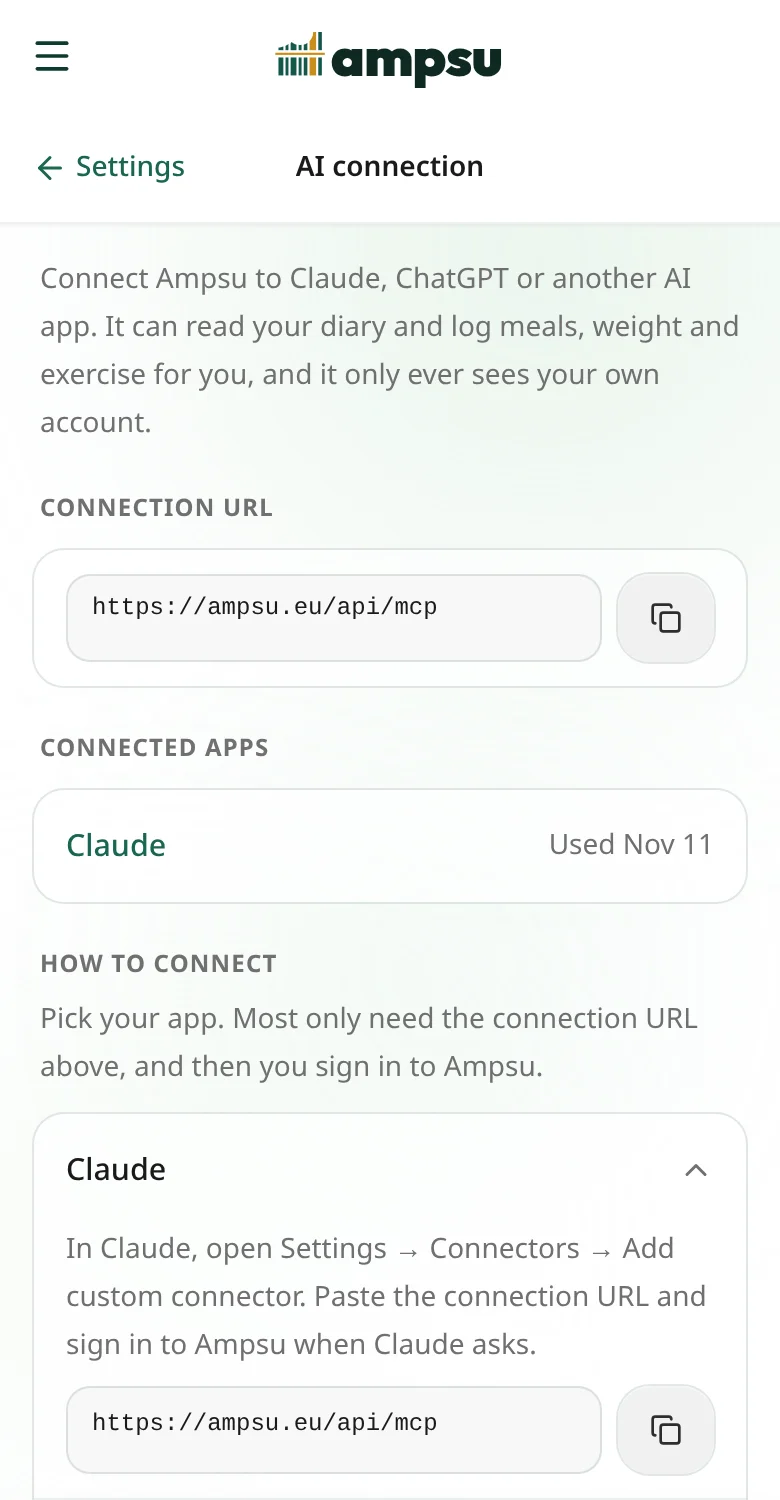
How do I connect Claude?
- In Claude, open Settings, then Connectors, and choose Add custom connector.
- Give it a name, such as Ampsu, and paste
https://ampsu.eu/api/mcpas the address. - Claude opens an Ampsu page. Sign in if you need to, check that it says Claude, and tap Connect.
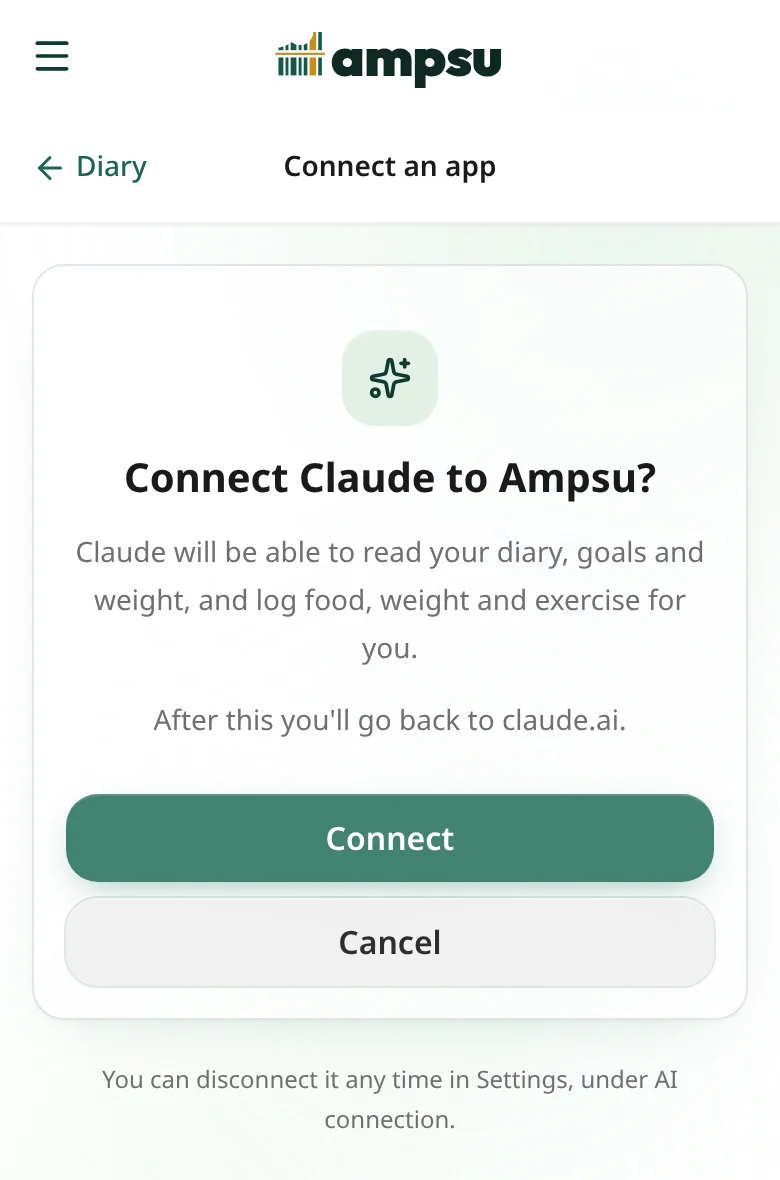
That is all. Start a new chat and say what you had for breakfast.
How do I connect ChatGPT?
ChatGPT keeps apps like this behind developer mode, which you switch on under Settings, Apps, Advanced settings. It is not on every plan, so if you cannot find it, that is probably why.
- Turn on developer mode, then create a new app.
- Paste
https://ampsu.eu/api/mcpas the address and choose OAuth for authentication. - Sign in to Ampsu when it asks and tap Connect.
What about Claude Code, Cursor and other apps?
Anything that speaks MCP and can sign in works the same way. In Claude Code, run claude mcp add --transport http ampsu https://ampsu.eu/api/mcp, then type /mcp and sign in. In Cursor, add the address to your mcp.json. For the few apps that cannot sign in at all, you can create a personal token in Ampsu under Settings → AI connection, and pass it as a header.
What can it do once it is connected?
- Log food, weight, exercise and water, and fix or delete an entry you got wrong.
- Look a food up in Ampsu's catalogue, so a branded yoghurt gets the numbers from its label instead of a guess.
- Read your diary, goals, weight trend, check-ins and the coach's notes, and answer questions about them, like how your protein has been lately.
- Review your week, or suggest what to eat for the rest of today given what is left.
Is it accurate?
That depends on how the entry gets made. If you name a product, ask it to look it up in Ampsu and it logs the catalogue's numbers, the same ones you get from scanning the barcode. If you describe a home-cooked plate, it has to estimate, and an estimate from a chatbot is about as good as one from a friend who has seen the plate. It is fine for a rough day and less fine for a strict one.
Answers about your past are on firmer ground, because the AI reads your actual diary instead of making one up. If you never logged a snack, it will not find one.
What can't it do?
It cannot change your calorie target or your settings, scan a barcode or read a photo, or see anyone else's account. Those stay in the app.
What does the AI app get to see?
Only your own account, and only what it asks for while you use it. When it reads your diary, that answer is sent to Claude or ChatGPT like anything else you type there, so it falls under their terms, not ours. Ampsu does not send them anything on its own.
You can see every connected app in Ampsu under Settings → AI connection, and disconnect one with a tap. It loses access straight away.
Where to start
Once it is connected, try “log a flat white and a croissant for breakfast”, then “how does today look?”. If the first answer has a guessed croissant, ask it to look the croissant up in Ampsu and see how far off the guess was.